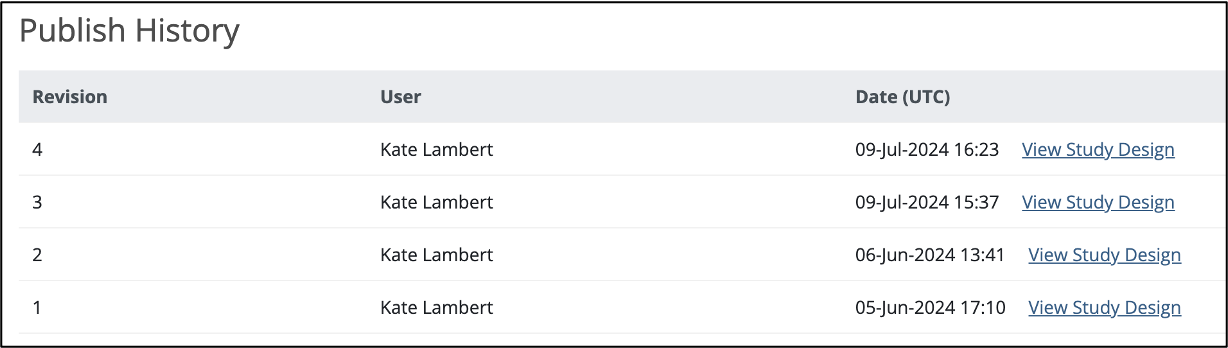
The Share screen tracks the publication history for each environment (Test and Production). Scroll to the bottom of the Share screen to see the publication history.
To View a Previously Published Version of the Study:
Click the View Study Design link to the right of the version you'd like to view.
A read-only version of the previously published study design displays:
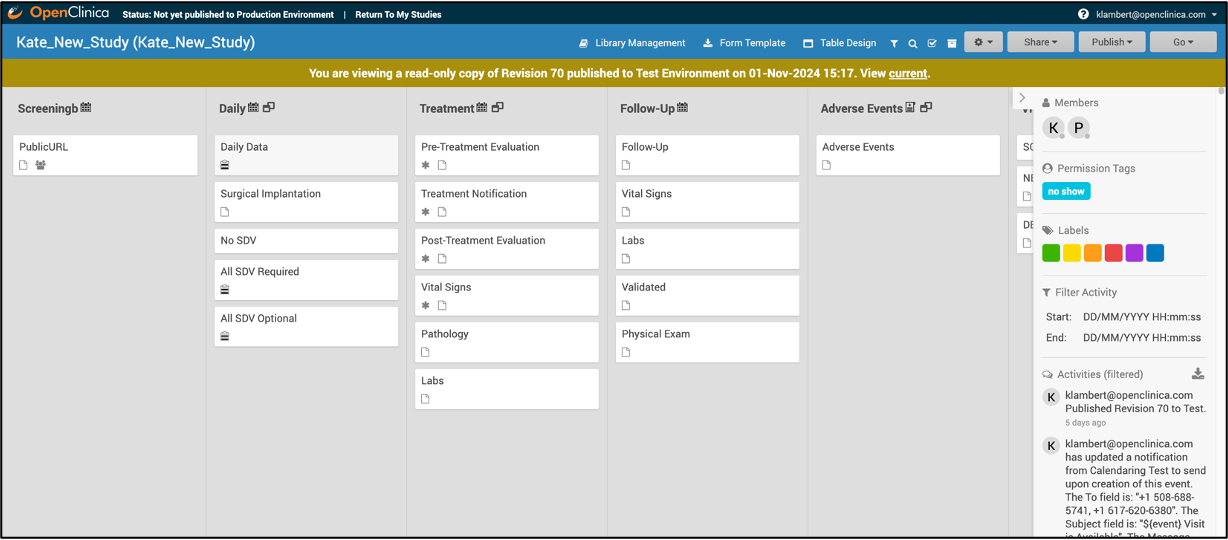
Though no changes can be made to this version of the study, you can:
- View form and event settings
- Download form versions,
- Preview forms
etc.
The header clearly indicates this is a read-only version, and includes a link to quickly access the current version of the study, which is fully editable.
Note: Some Form attributes (checklists, tags, and labels) show the values that they have in the current design, regardless of their state in the previously published version. In the Test environment, if a Form version was overwritten after a previous publication, only the newest version of that Form is available for preview and download. This is not a concern in the Production environment, since Form versions cannot be overwritten.
Was this article helpful?
That’s Great!
Thank you for your feedback
Sorry! We couldn't be helpful
Thank you for your feedback
Feedback sent
We appreciate your effort and will try to fix the article